
Building a component library for AI Experiences
A research-driven component library addressing trust, transparency, and control in AI-powered healthcare experiences: 90+ patterns from 15+ products, narrowed to 12 components and 40+ states.
Overview
Creating a foundation for trustworthy AI interactions.
As AI becomes a larger part of product work, teams need more than isolated interface patterns. They need shared rules for how AI communicates uncertainty, shows evidence, handles errors, and gives users control.
In high-stakes environments like healthcare and manufacturing, these decisions carry real consequences. An AI system surfacing incorrect medical eligibility information or making the wrong operational recommendation could affect safety, trust, and outcomes.
This project created a reusable component library for AI experiences, grounded in research, risk mapping, and competitive analysis.
Problem Space
Translating Industry Patterns into a Scalable AI Design System.
Leading AI products like ChatGPT, Claude, Copilot, Figma AI, and Canva AI demonstrate effective patterns, but those patterns are often tailored to their own ecosystems. The challenge was translating what worked across the industry into a system that could support our context.
I focused the work around a few critical questions:
- How should uncertainty be communicated?
- When should the system defer to a human?
- How do we maintain user trust when AI outputs may be incomplete or incorrect?
- Which patterns are reusable across multiple AI use cases instead of being product-specific one-offs?
The opportunity was to define a scalable foundation for designing trustworthy AI experiences before inconsistencies and risks emerged across products.
Deeper process Research, system principles, component patterns, and the worked product example.
Research
Research before design.
Rather than jumping straight into Figma, I studied why existing AI patterns exist, what risks they address, and where they fail. This was systems design grounded in risk analysis and industry research.
My process
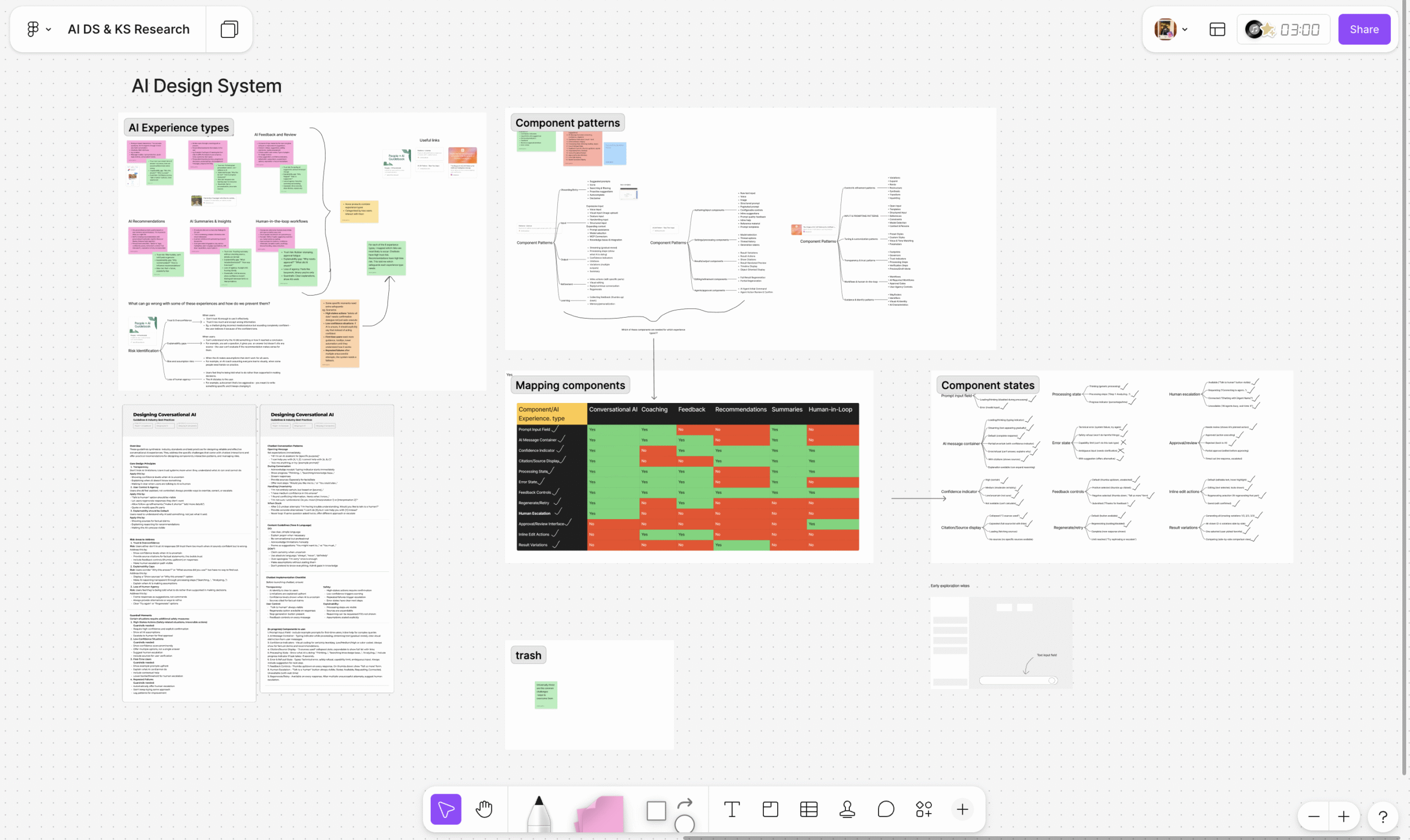
- Defined an experience type taxonomy: conversational AI, recommendations, coaching and guidance, human-in-the-loop, feedback and review, and summaries and insights.
- Mapped risks: trust and overconfidence, explainability gaps, bias and assumptions, loss of agency, and approval fatigue.
- Analyzed competitive patterns: studied 15+ AI products and pattern libraries to identify repeated interaction solutions.
- Selected reusable components: filtered patterns by risk coverage, cross-industry validation, and multi-context applicability.
- Designed multiple states: accounted for uncertainty, partial outputs, errors, recovery, and escalation.
Risk-driven design philosophy
Every component in the system was tied to a documented AI risk. Confidence indicators address over-trust. Source citations help users verify outputs. Human escalation pathways acknowledge the limits of automation and give users a way to regain control.
Risk Mapping
Each AI experience type has a different trust problem.
Using Google PAIR's AI risk framework as a reference point, I mapped common failure modes to the experience types the library needed to support.
| Experience Type | Primary Risks Identified |
|---|---|
| Conversational AI | Trust and overconfidence, explainability gaps |
| Recommendations | Bias and assumptions, loss of agency |
| Coaching and Guidance | Trust, explainability, overconfidence |
| Human-in-the-Loop | Approval fatigue, loss of agency |
| Feedback and Review | Trust, explainability |
| Summaries and Insights | Trust, bias, explainability gaps |
Selection
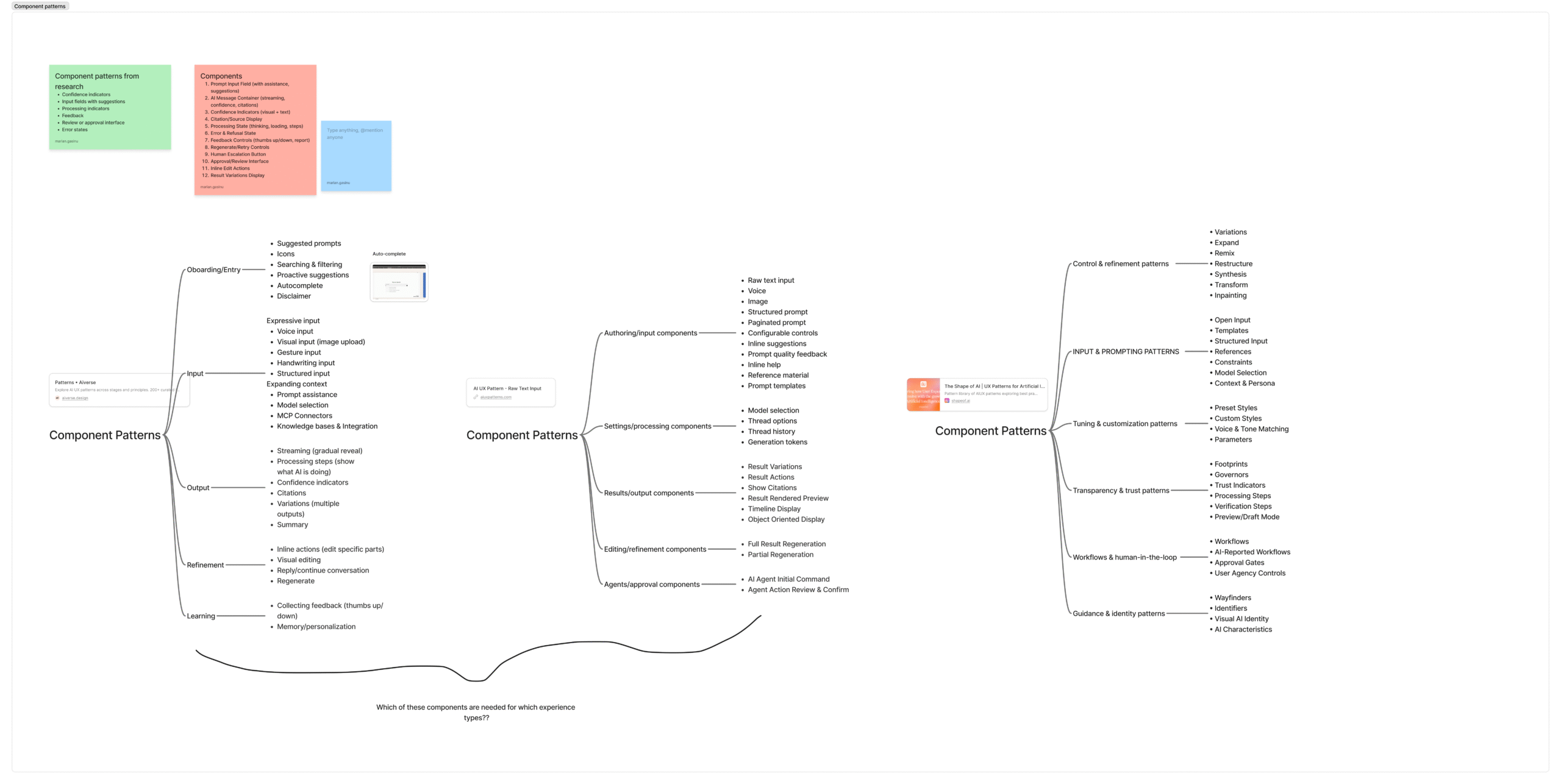
Ninety-plus patterns became twelve strategic components.
The competitive analysis surfaced more than 90 distinct UI patterns. The challenge was not finding patterns. It was deciding which ones were essential enough to become reusable system components.
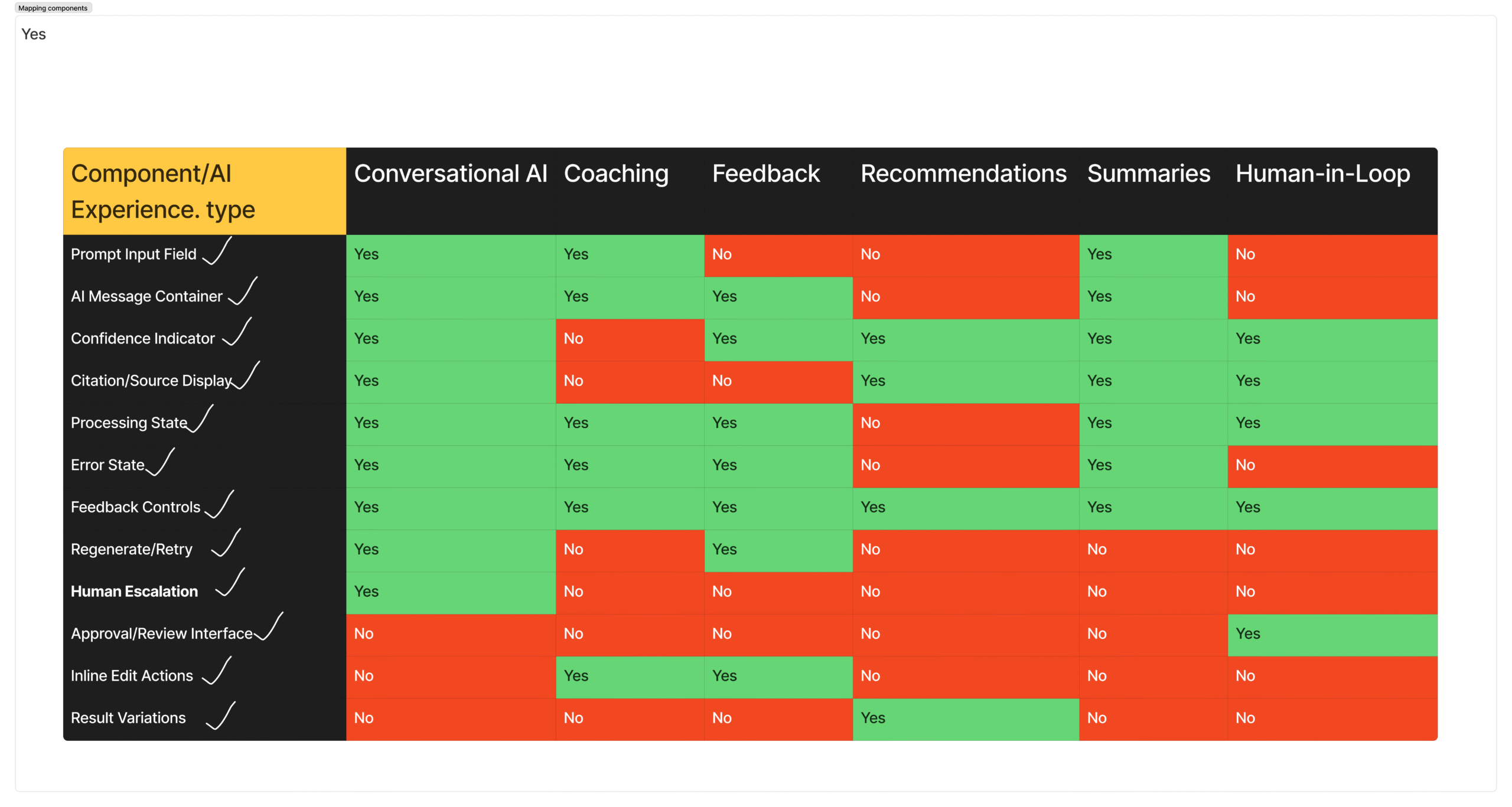
Selection criteria
- Risk coverage: Does the pattern address a mapped AI risk?
- Cross-industry validation: Does it appear in multiple products solving different problems?
- Multi-context applicability: Can it work across multiple AI experience types?
The result was a focused set of components that addressed all five primary AI risk areas across all six experience types. Not the most components, the right components.
| Component | Risk Addressed | Observed Usage | Experience Types |
|---|---|---|---|
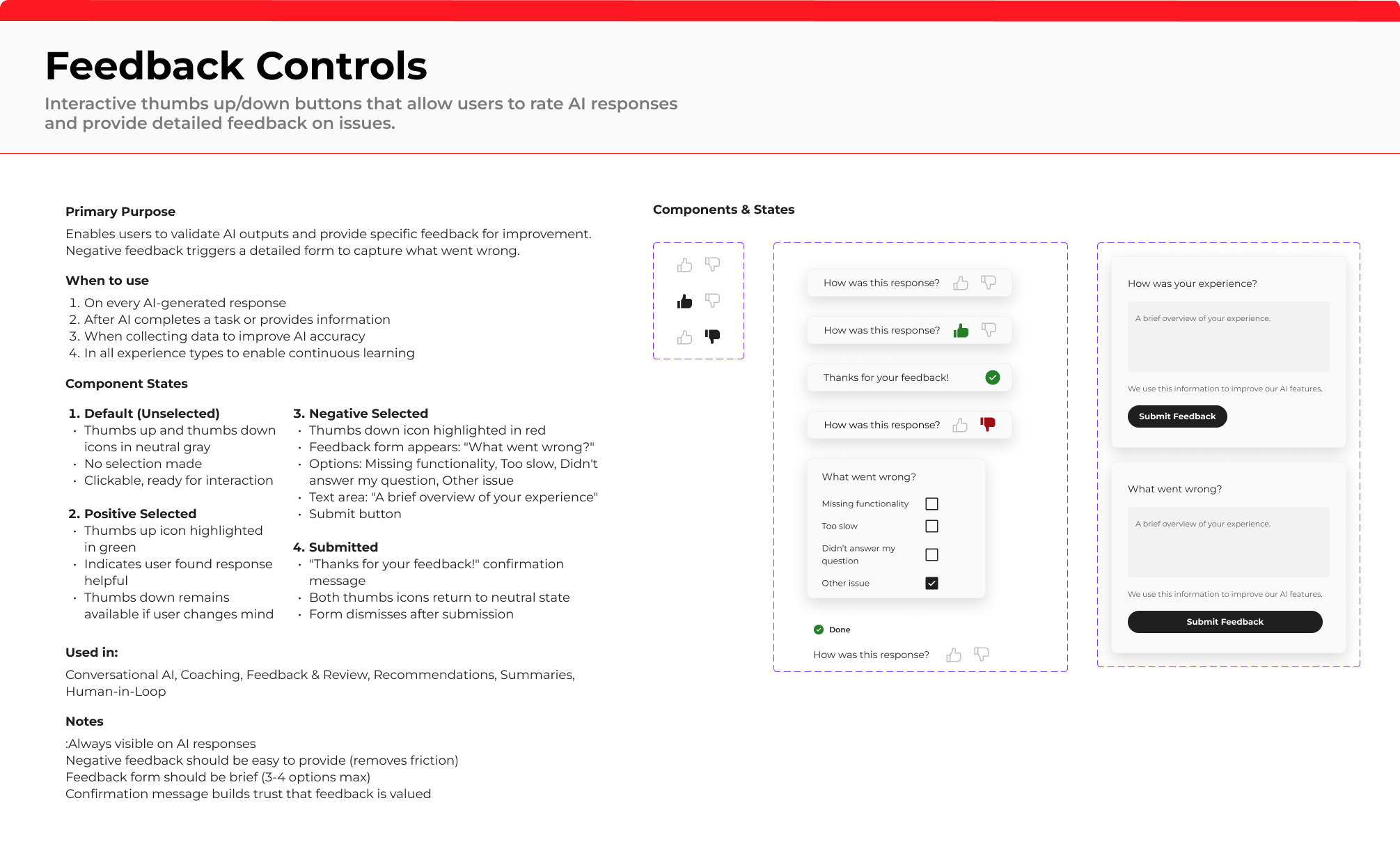
| Feedback Controls | Trust and improvement | 9 of 15+ products | All 6 |
| Processing States | Explainability | 10 of 15+ products | 5 of 6 |
| Confidence Indicators | Trust and overconfidence | 8 of 15+ products | 5 of 6 |
| Error States | Recovery and error handling | 10 of 15+ products | All 6 |
| AI Message Container | Core AI response structure | 8 of 15+ products | 4 of 6 |
Library
Designing reusable components for uncertainty, recovery, and control.
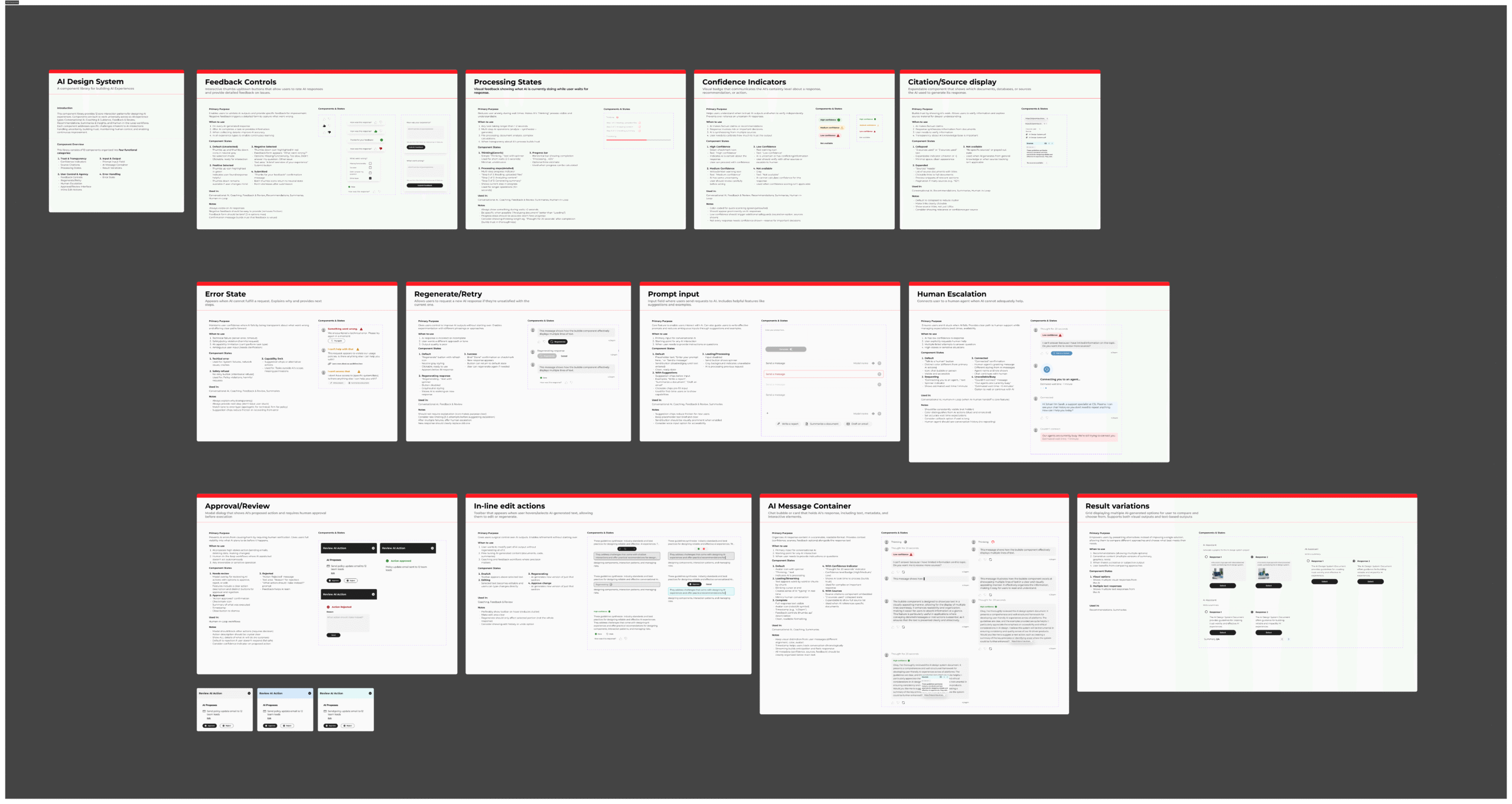
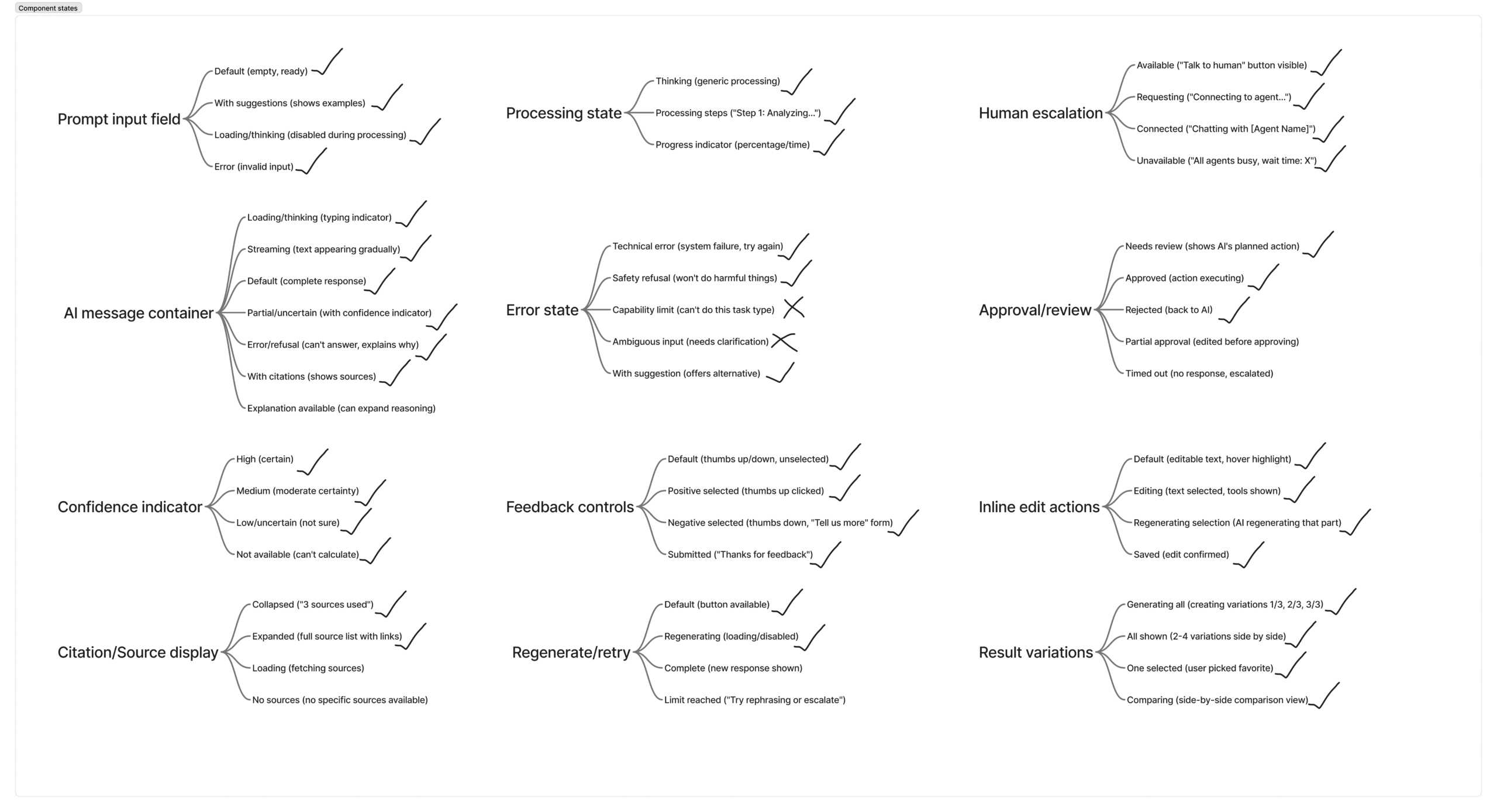
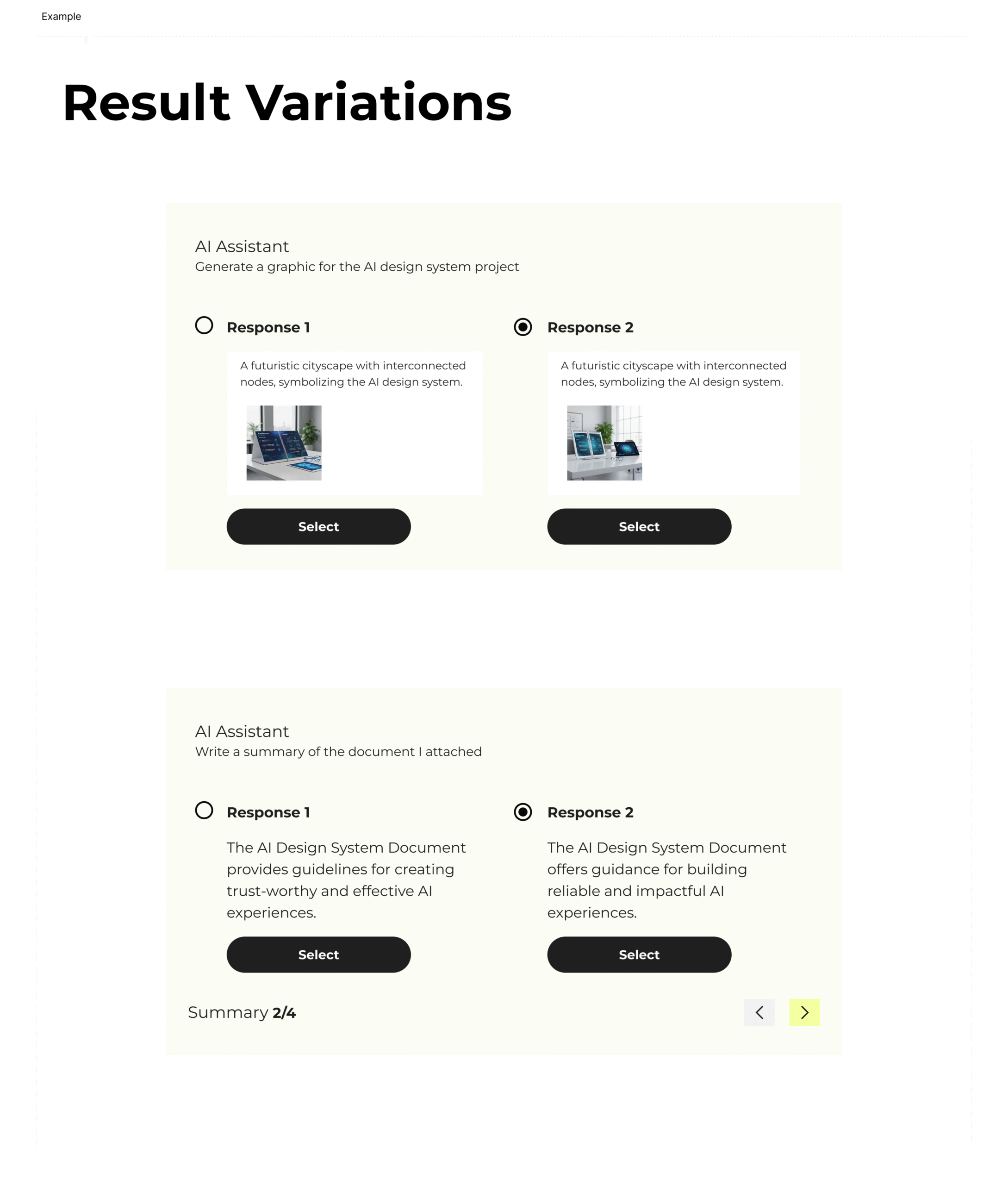
I designed 12 core components and 40+ states to support consistent, trustworthy AI experiences across different use cases. Each component was built to handle more than one happy path.
Example
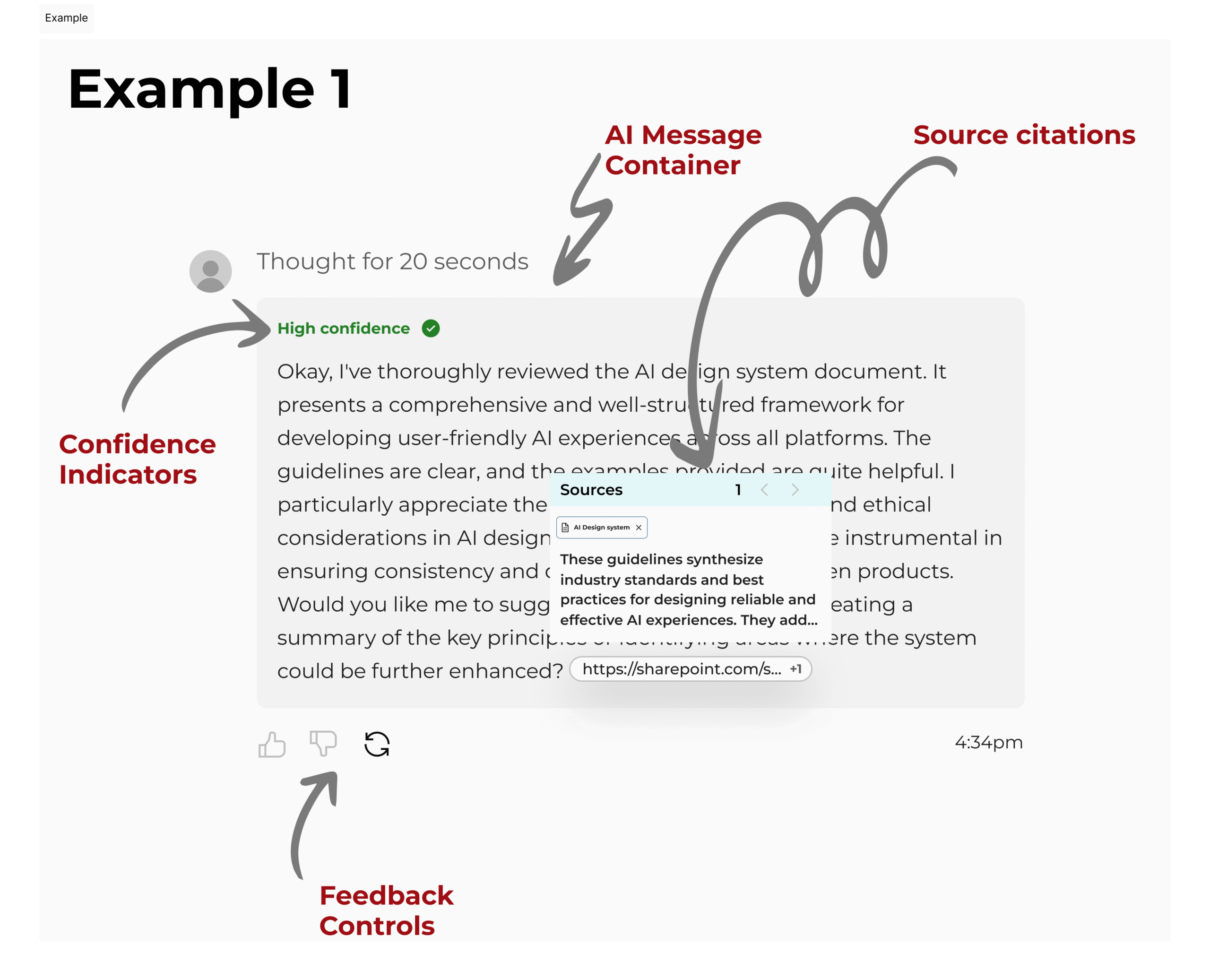
One AI flow can carry multiple trust patterns at once.
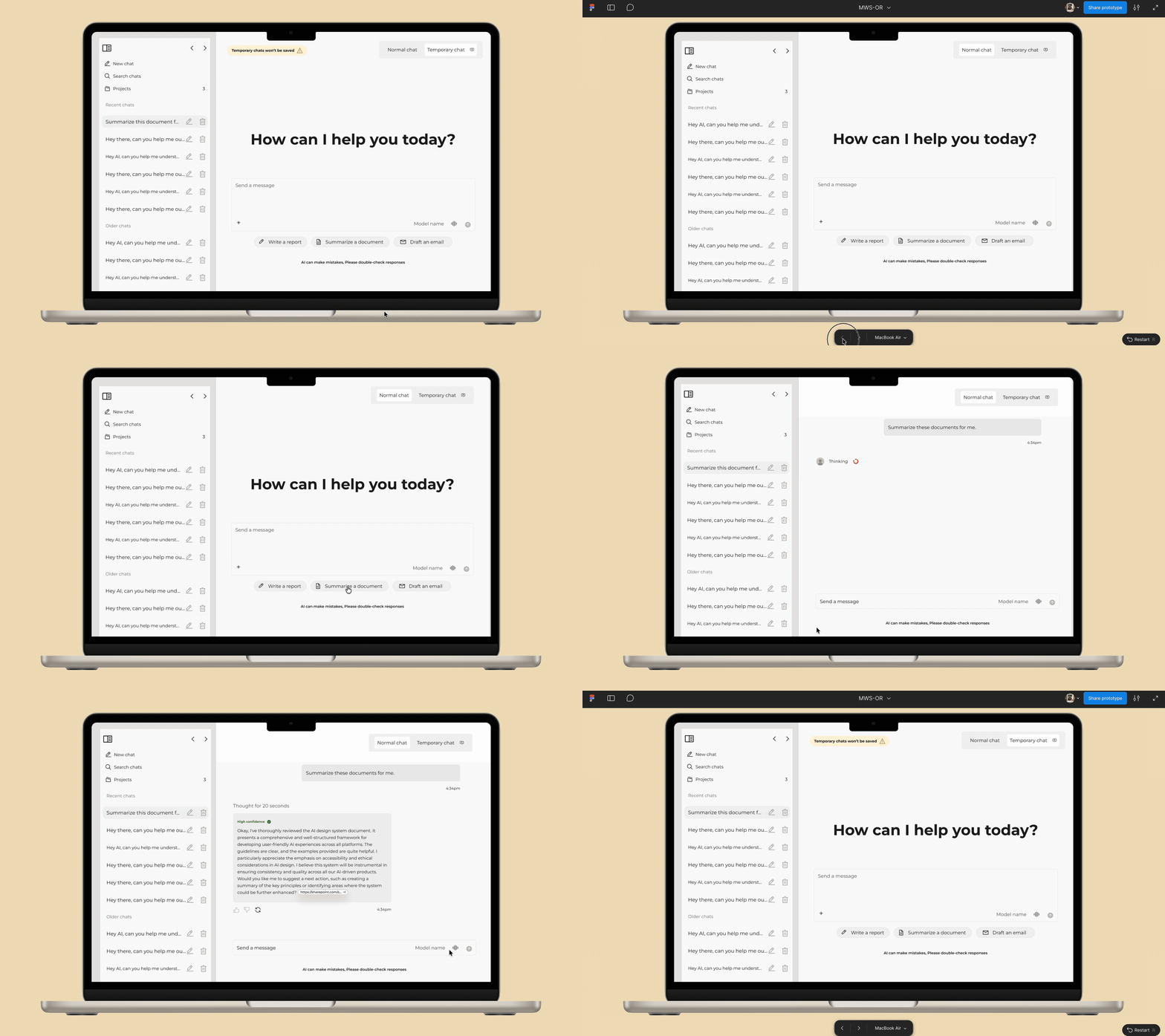
This example shows four components working together inside one interaction: an AI message container, confidence indicator, source citations, and feedback controls.
Transparency also appears in the processing language, which makes the system's work visible instead of hiding it behind a static answer.
AI design is less about creating new interfaces and more about designing for trust, uncertainty, and human control.
Impact
A system that gave the team a shared language for AI UX decisions.
The final library created a reusable foundation for consistent, trustworthy AI experiences across projects.
For the team
- Accelerated design and development work across projects.
- Created shared vocabulary for AI UX challenges.
- Established a clear decision-making framework.
- Improved cross-project consistency.
For users
- More trustworthy AI experiences.
- Greater control over AI interactions.
- Better understanding of AI capabilities and limits.
- Clearer paths to human support when needed.
Reflection
What this project taught me.
Research before design: Spending time analyzing products and mapping risks created the foundation for every decision that followed.
Learning from production systems: Instead of inventing new patterns, I studied what already works at scale and adapted those patterns to our context.
Designing for uncertainty: AI systems require designing for multiple outcomes, failure states, and recovery instead of one ideal path.
Intentional system building: Not every pattern made the cut. I prioritized components that addressed real risks, appeared across proven systems, and could scale across use cases.
Request full Figma file / component library